The "Studio Tax" is Dead
If you are launching a brand in 2025, the old playbook says you need to:
- Ship your product samples to a studio.
- Pay a photographer ($500 - $5,000).
- Wait 2 weeks for edits.
- Pray you like the photos.
This is the "Studio Tax," and it kills cash flow.
With Midjourney V6 (and specifically its ability to understand lighting and textures), you can now generate unlimited "Lifestyle Shots" for the cost of a monthly subscription.
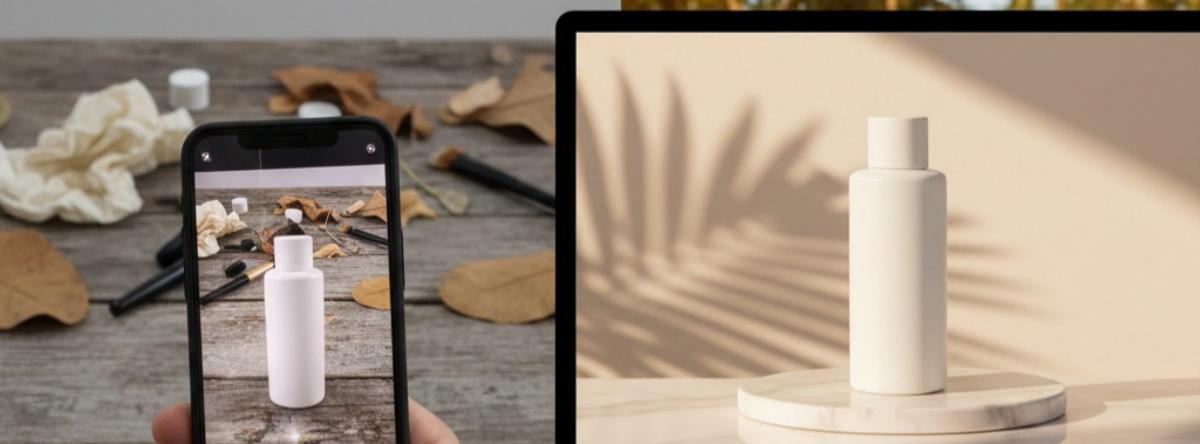
This isn't about generating "fake" images. It's about "AI Compositing"—taking your real product and placing it into an AI-generated, million-dollar environment.
Here is the exact 3-Step Workflow I use.
Step 1: The "Clean" Source Photo
You don't need a DSLR camera. You just need clear lighting.
- Place your product on a plain table (white background is best, but not required).
- Use natural window light. Avoid harsh shadows.
- Take the photo with your iPhone/Pixel. Ensure the angle matches the scene you want to build. (e.g., if you want it sitting on a rock, shoot it at eye level).
Pro Tip: Do not use AI to generate the product itself (it will hallucinate your logo). We only use AI to generate the stage.
Step 2: Generating the "Million Dollar Stage" in Midjourney V6
We are not prompting for a "bottle of perfume." We are prompting for the background.
Open Discord and try these specific prompts. I've optimized them for V6's photorealism.
Scenario A: Minimalist Skincare / Beauty
Use this for bottles, jars, and cosmetics.
minimalist product photography background, a white marble podium, soft morning sunlight, dappled shadows from a palm leaf, spa atmosphere, high key lighting, shallow depth of field, blurred background --ar 4:5 --v 6.0 --style raw
Scenario B: Tech / Gadgets / Dark Mode
Use this for headphones, watches, or electronics.
futuristic product display stage, dark matte black geometric surfaces, neon blue rim lighting, cyber aesthetic, sleek and modern, 8k resolution, octane render --ar 4:5 --v 6.0
Scenario C: Organic / Food / Eco
Use this for supplements, coffee, or eco-friendly goods.
product photography background, rustic wooden table, surrounded by fresh coffee beans and mist, warm cozy lighting, bokeh, golden hour, cinematic composition --ar 4:5 --v 6.0
Step 3: The "Magic Merge" (Compositing)
Now you have a photo of your product (Step 1) and a stunning background (Step 2). You need to combine them.
You could use Photoshop, but for speed, I recommend Photoroom or Canva.
- Remove Background: Upload your product photo to Photoroom. It automatically strips the background.
- Layering: Place your product onto the Midjourney background.
- Shadows (The Secret Sauce): This is what makes it look real.
- In Photoroom: Use "AI Shadow" feature.
- In Canva: Edit Photo -> Effects -> Shadows -> Drop. Adjust the angle to match the light source in your Midjourney image.
Result: A photo that looks like it was shot in a Los Angeles studio.
The "Too Hard?" Alternative
If dealing with Prompts (--ar 4:5 --v 6.0) and Discord feels too technical for you, there are tools that wrap this entire workflow into one click.
We recommend WeShop AI for fashion/clothing sellers, or Pebblely for general objects. They effectively run "Stable Diffusion + ControlNet" in the background so you don't have to manage prompts.
Want to skip the prompting?
Check out WeShop AI for instant fashion model generation.
Try WeShop AI →Summary
- Cost of Traditional Shoot: $500+ and 2 weeks.
- Cost of AI Workflow: $30/mo (Midjourney) + $10/mo (Photoroom) = $40.
- Time: 10 minutes.
The quality gap has closed. In 2025, paying for basic product photography is a choice, not a necessity.